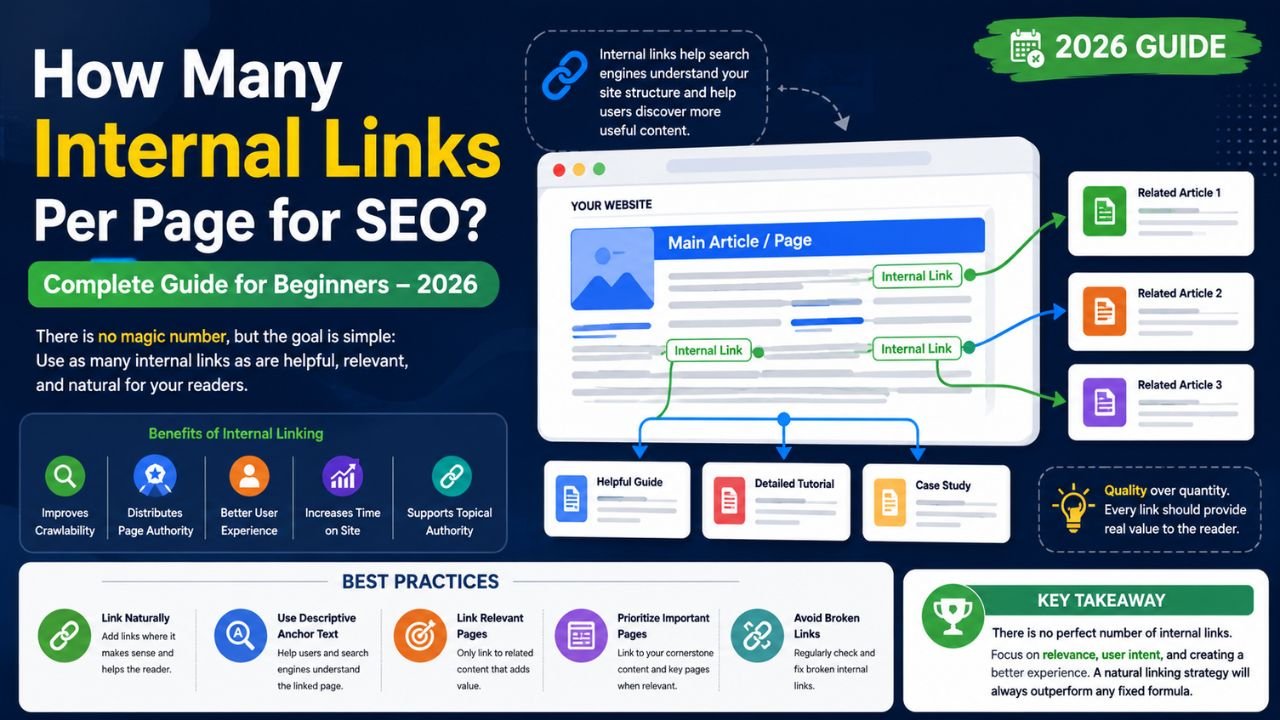
An internal link is a hyperlink that connects one page on your website to another page on the same website.
For example, a blog post about keyword research might link to related articles about:
- On-page SEO
- Technical SEO
- Link building
- SEO tools
- Content marketing
These links help both users and search engines understand how your content is connected.
Why Internal Links Matter for SEO
Internal linking is an essential part of on-page SEO because it helps search engines discover, crawl, and understand your content.
A good internal linking strategy can:
- Improve website navigation.
- Help search engines discover new pages.
- Distribute page authority across your website.
- Increase time spent on your site.
- Reduce orphan pages (pages with no internal links).
- Encourage readers to explore related content.
- Support topic clusters and content hubs.
When implemented thoughtfully, internal links improve both usability and search visibility.
Is There a Recommended Number of Internal Links?
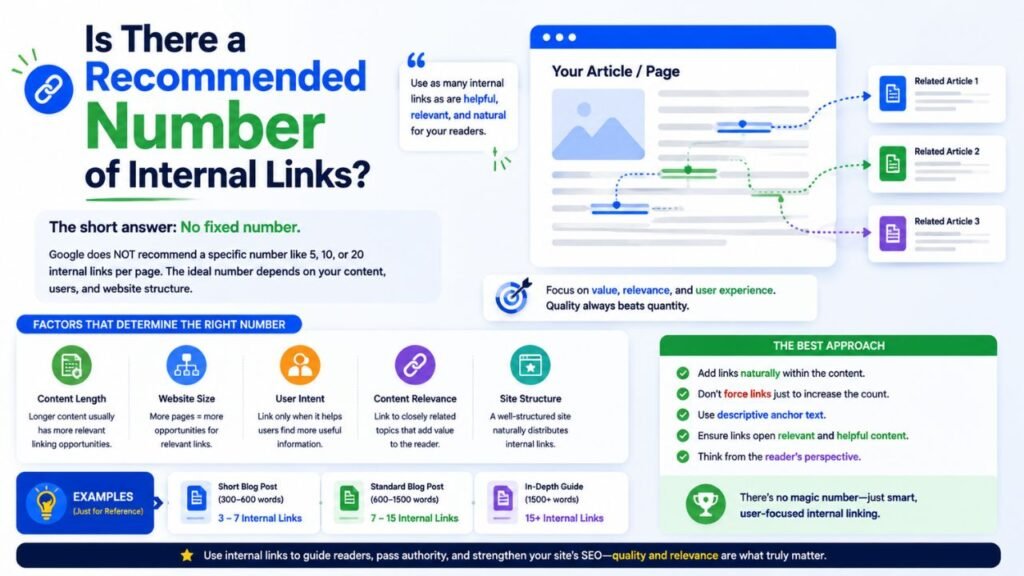
There is no universal limit.
The ideal number depends on factors such as:
- Page length
- Content depth
- Website structure
- User intent
- Number of relevant related pages
A 500-word article might naturally include only a few internal links, while a comprehensive 2,500-word guide could include many more.
The key principle is simple:
Add internal links only when they provide genuine value and fit naturally within the content.
Factors That Influence the Right Number
Content Length
Longer articles usually cover more topics, creating more opportunities to link to relevant resources.
For example:
- Short article: a handful of relevant links may be enough.
- Comprehensive guide: more links can be appropriate if they improve navigation.
Website Size
A website with hundreds of well-organized articles naturally offers more opportunities for relevant internal linking than a new website with only a few pages.
User Intent
Every link should help readers answer another question or continue learning.
If a link interrupts the reading experience without adding value, it probably doesn’t belong.
Content Relevance
Only connect pages that are genuinely related.
For example:
A guide about SEO audits can naturally link to:
- Technical SEO
- XML sitemaps
- Google Search Console
- Website speed optimization
Random or unrelated links reduce usefulness.
Benefits of Internal Linking
A strong internal linking strategy offers several advantages.
Better Crawlability
Search engines use links to discover and index pages more efficiently.
Improved User Experience
Readers can easily find related information without searching your website manually.
Stronger Topical Authority
Connecting related content helps search engines understand that your website covers a subject comprehensively.
Better Distribution of Authority
Internal links help pass relevance and authority between pages, supporting newer or less visible content.
Increased Engagement
Helpful links encourage visitors to spend more time exploring your website.
Best Practices for Internal Linking
Link Naturally
Only add links where they genuinely help readers continue learning.
Use Descriptive Anchor Text
Instead of generic phrases like:
- Click here
- Read more
Use descriptive anchor text such as:
- beginner’s guide to keyword research
- technical SEO checklist
- on-page SEO optimization
This provides context for both users and search engines.
Prioritize Important Pages
Link to your most valuable resources, cornerstone content, product pages, or service pages when relevant.
Build Topic Clusters
Organize related articles around broader topics.
For example:
Main guide:
- SEO Basics
Supporting articles:
- Keyword Research
- Technical SEO
- Internal Linking
- Link Building
- Content Optimization
This structure improves navigation and topical relevance.
Keep Links Relevant
Every internal link should answer a related question or support the current discussion.
Quality matters more than quantity.
Common Internal Linking Mistakes
Avoid these common issues:
- Adding links solely to increase the total number.
- Using the same anchor text for unrelated pages.
- Linking to outdated or broken pages.
- Creating orphan pages with no incoming internal links.
- Stuffing multiple links into a single sentence.
- Ignoring mobile readability.
- Overusing repetitive anchor text.
A clean and logical structure is more effective than excessive linking.
How to Audit Your Internal Links
Review your website periodically by asking:
- Can visitors easily find related information?
- Are important pages receiving enough internal links?
- Are any pages isolated?
- Do links use descriptive anchor text?
- Are there broken internal links?
- Do links still point to the most relevant resources?
Regular audits help keep your site organized as it grows.
Internal Linking Tips for Beginners
If you’re just starting:
- Create cornerstone articles on your main topics.
- Link from newer posts to older relevant articles.
- Update older articles with links to new content.
- Use clear, descriptive anchor text.
- Keep navigation intuitive.
- Review internal links whenever you publish new content.
A consistent approach is more valuable than trying to maximize the number of links on each page.
Frequently Asked Questions (FAQs)
How many internal links should a page have?
There is no fixed number. Use as many relevant internal links as needed to improve navigation and help users discover related content.
Can too many internal links hurt SEO?
If links become excessive, repetitive, or irrelevant, they may reduce usability and make it harder for readers to focus on the main content. Prioritize relevance over quantity.
Are internal links important for SEO?
Yes. Internal links help search engines discover pages, understand site structure, and interpret relationships between related content.
Should every blog post include internal links?
Whenever possible, yes. Linking to relevant pages improves navigation and strengthens your overall website structure.
Do internal links improve rankings?
Internal links can support SEO by improving crawlability, distributing relevance across your site, and helping users engage with more content. Rankings, however, depend on many factors beyond internal linking alone.
Read also:-
- Canva vs Photoshop – Which One Should You Learn First? (2026 Beginner’s Guide)
- Top 10 Design Trends to Watch in 2026 | Web, Graphic & UI/UX Design
Final Thoughts
There isn’t a magic number of internal links that guarantees better SEO. Instead, successful internal linking is about creating meaningful connections between related pages that improve the user experience and help search engines understand your website.
For SEO beginners, the best approach is to focus on relevance, descriptive anchor text, logical site structure, and regular content updates. As your website grows, thoughtful internal linking can make it easier for visitors to find valuable information while strengthening your site’s overall topical authority.
In 2026, websites that prioritize helpful navigation and well-connected content are better positioned to build trust with users and improve their visibility in search results.
